Viewing the ARP Log
The address resolution protocol (ARP) cache keeps a record of host port connections with other hardware (such as targets) on the network. The IP address/MAC address pairs are dynamic entries that are removed after 10 minutes.
Perform the following steps to view the ARP log:
- In the SANsurfer iSCSI HBA Manager main window HBA tree, select the HBA port.
- Click the Diagnostics tab, and then click the Logs tab. The Diagnostics tabbed page (Logs tab) displays (see the illustration below).
Diagnostics Tabbed Page (Log Tab)
The HBA port identifying information displays:
- HBA. HBA instance number and HBA model
- State. The HBA port state. See Monitoring the HBA Port State for details about the HBA port state and its correspondence with the HBA icons.
- Green background: good
- Yellow background: warning
- Blue background: unknown
- Red background: bad
- HBA iSCSI Name. HBA port iSCSI name. The QLogic manufacturing default name or a name that you assign.
- HBA Alias Name. HBA port iSCSI alias name. Symbolic name you assign to the HBA port for identification purposes.
- IP Address. IP address of the HBA port
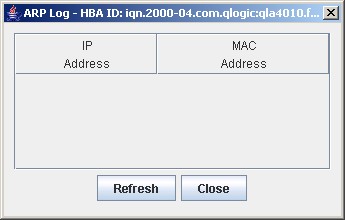
- On the Logs tab click Display ARP Table. The ARP log displays (see the illustration below).
ARP Log
For the HBA port that you selected, the ARP log displays the HBA port connections with remote network hardware.
- IP Address. The IP address of the hardware on the remote network
- MAC Address. The MAC address of the hardware on the remote network
- If you want to refresh the log information immediately, click Refresh.
- To exit the log, do one of the following:
- Click Close.
- Click the Close (x) button in the upper right-hand corner of the screen.