Specifying Whether iSCSI Names or iSCSI Alias Names Display in the HBA Tree
You can specify whether iSCSI or iSCSI alias names display in the HBA tree. Until you select whether iSCSI or iSCSI alias names display, the default is iSCSI alias names. Once you specify whether iSCSI or iSCSI alias names display, your selection becomes the default.
For information about configuring HBA port iSCSI names and HBA port iSCSI alias names, see Configuring the HBA port iSCSI name and port Alias name. For information about target iSCSI names and target iSCSI alias names, see Configuring Targets.
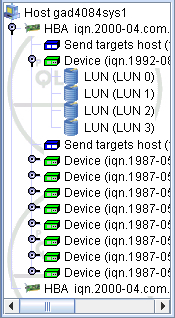
See the illustration below for a sample HBA tree with HBA iSCSI names and target iSCSI names.
HBA Tree with HBA iSCSI Names and Target iSCSI Names
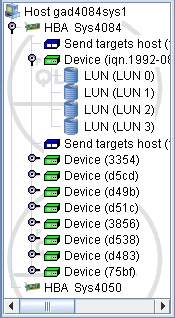
See the illustration below for a sample HBA tree with HBA port iSCSI alias names and target iSCSI alias names.
HBA Tree with HBA Port iSCSI Alias Names and Target iSCSI Alias Names
Do one of the following:
Do the following:
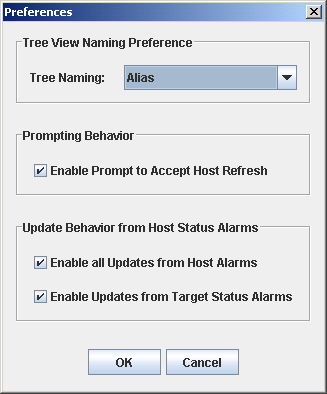
Preferences Dialog Box (Tree View Naming Preference)