Configuring HBA Ports Using the General Configuration Wizard—Step 2
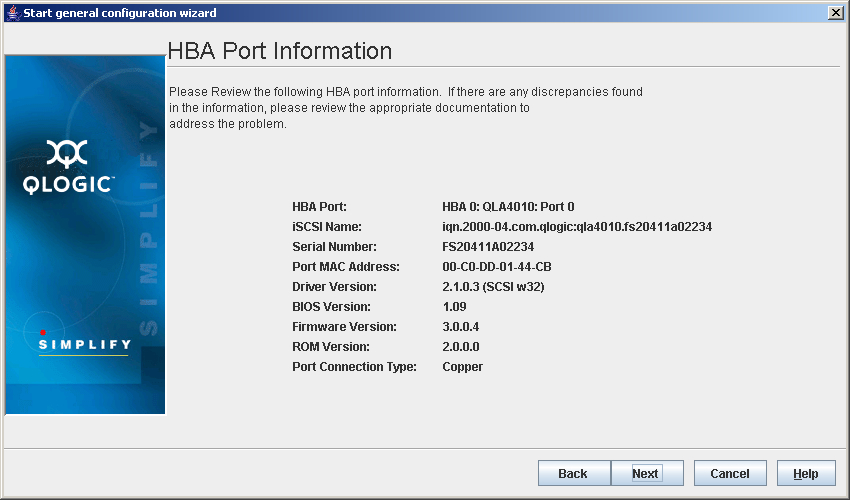
- If you clicked Next, the HBA Port Information dialog box displays (see the illustration below).
HBA Port Information Dialog Box
The dialog box displays the following information:
- HBA Port. HBA port number and HBA model
- iSCSI Name. iSCSI node name
- Serial Number. Serial number of the HBA
- Port MAC Address. MAC Address of the port
- Driver Version. Version of the HBA driver on the host that controls the HBA
- BIOS Version. BIOS version on the HBA (Windows 2000/Windows Server 2003, Linux, NetWare, and Solaris x86)
- Firmware Version. Version of the HBA firmware on the host that controls the HBA
- ROM Version. Version of the ROM on the HBA
- Port Connector Type. Type of connector
Do the following:
- Verify the information.
- Do one of the following:
- Click Back to return to the previous dialog box.
- Click Next to proceed.
- Click Cancel to exit the General Configuration Wizard without making any changes.
- Click Help to display context-sensitive help.


 Back to Step 1