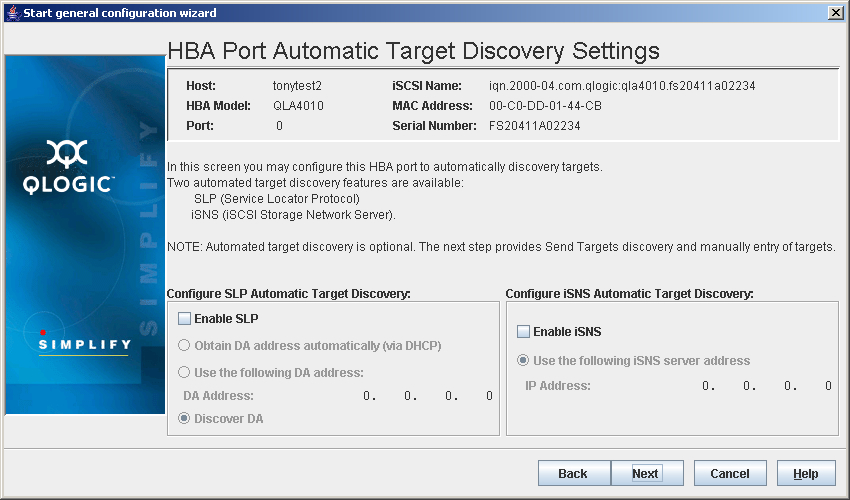
Perform the following steps to automatically discover targets.
- In the Configure SLP Automatic Target Discovery group, select Enable SLP, and do one of the following:
- Select Obtain DA address automatically (via DHCP).
- Select Use the following DA address.
- Select Discover DA.
- In the Configure iSNS Automatic Target Discovery group, select Enable iSNS.
- Do one of the following:
- Click Back to return to the previous dialog box.
- Click Next to proceed.
- Click Cancel to exit the General Configuration Wizard without making any changes.
- Click Help to display context-sensitive help.


 Back to Step 3